
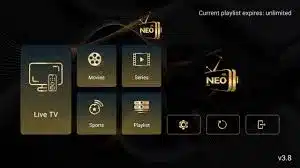
NEO4K PRO V3.8 — Install & Activate on All Devices
NEO4K PRO represents the pinnacle of IPTV convenience and performance — offering you 10,000+ live channels, 80,000+ titles in VOD, and near-perfect uptime for uninterrupted viewing. Here’s how to install it, get it activated, and select the best pricing plan for your needs.
What Is NEO4K PRO?
NEO4K PRO is a premium IPTV platform engineered for performance, flexibility, and ease of use. Ideal for sports fans, movie lovers, and multilingual households, it combines YTD’s most comprehensive channel listings with a deep library of on-demand content—all with slick navigation and stable servers.
Supported Platforms
Android / Google TV
Phones, tablets, TV boxes, and Google TV devices using a fast and seamless Google Play setup.
Fire TV
Full support for Amazon Fire TV Stick and higher-end Fire TV devices.
Smart TVs
Includes Samsung, LG, Sony, and other modern Smart TV ecosystems.
Apple Devices
Works with Apple TV, iPad, and iPhone through compatible IPTV apps or activation workflows.
Install on Android / Google TV via Google Play
- Open Google Play on your Android device or Google TV.
- Download and install Downloader by AFTVnews, then launch it.
- Type the code 8692982 and hit GO.
- Download the NEO4K PRO APK and install it as prompted.
- Open the app—now you can proceed to activation.
Pricing Plans via ZEN4K
Choose the plan that fits your budget and viewing habits—whether you’re streaming for a month or a season. All plans include full access to live channels, VOD, and support.
| Plan | Duration | Features | Price (USD) |
|---|---|---|---|
| Basic Plan | 1 Month | 500+ HD Channels | $10.00 |
| Standard Plan | 1 Month | 16,000+ Channels, VOD | $9.99 |
| Premium Plan | 3 Months | HD/4K Channels + Catch-Up TV | $24.99 |
*Prices accurate as of August 2025. Always check the provider’s website for the latest offers.
Activate & Start Watching
Once installed, activating is quick:
- Open NEO4K PRO on your device.
- Enter your activation code provided after subscription (via Zen4KTV).
- Configure favorites, Parental Controls, and the EPG to fit your preferences.
- Start browsing live TV or explore the VOD catalog instantly.
Frequently Asked Questions
What download speed is needed for 4K?
A stable ≥25 Mbps connection is ideal for 4K. If your connection is slower, consider HD for smoother playback. Use the trial to test your quality.
Can I use multiple devices at once?
Most plans allow simultaneous streams on multiple devices. Contact support if you need more connections.
Are updates automatic?
Yes—channels and VOD updates are handled server-side. Just open the app to see new content.
Need Help?
For subscription support, visit zen4ktv.com. To manage your activation or account settings, head to neo4ktv.com. Support is usually available 24/7 via chat or email.
