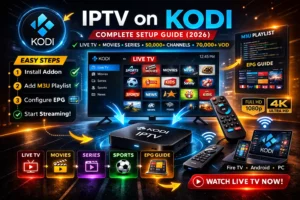
IPTV on Kodi – Complete Kodi IPTV Addon Setup Guide (2026)
Kodi is one of the most powerful media players available today. As an open-source software platform, Kodi allows users to stream content from multiple sources, including IPTV. With the right Kodi IPTV addon, you can transform Kodi into a complete live TV streaming platform.
In this complete guide, you will learn how to install IPTV on Kodi step by step using the PVR IPTV Simple Client, how to configure Kodi M3U setup, enable Kodi EPG setup, and enjoy more than 50,000 live TV channels and 70,000 VOD content.
In this complete guide, you will learn how to install IPTV on Kodi step by step using the PVR IPTV Simple Client, how to configure Kodi M3U setup, enable Kodi EPG setup, and enjoy more than 50,000 live TV channels and 70,000 VOD content.
What is IPTV on Kodi?
IPTV on Kodi allows users to stream television channels using internet instead of traditional cable. Kodi supports IPTV through addons like PVR IPTV Simple Client, which enables live TV streaming using M3U playlists.
This makes Kodi a powerful Kodi streaming setup solution for users who want full control over their IPTV experience.
You can learn more about Kodi on the official website: Kodi Official Website.
Requirements Before Setup
- Kodi installed on your device (PC, Android, Firestick, etc.)
- Stable internet connection (20 Mbps recommended)
- IPTV subscription
- M3U playlist or Xtream Codes API
IPTV Subscription Plans
| Plan | Duration | Price |
|---|---|---|
| 1 Month | 30 Days | $18 |
| 3 Months | 90 Days | $40 |
| 6 Months | 180 Days | $65 |
| 12 Months | 365 Days | $90 |
Step 1: Open Kodi
- Launch Kodi on your device
- Go to Settings (gear icon)
- Select Add-ons
Step 2: Install IPTV Addon Kodi
Kodi comes with built-in IPTV support through the PVR IPTV Simple Client.
- Go to Add-ons
- Select My Add-ons
- Click PVR Clients
- Select PVR IPTV Simple Client
- Click Install
This is the main Kodi IPTV addon used for IPTV streaming.
Step 3: Configure Kodi M3U Setup
After installing the addon, you need to configure your IPTV playlist.
- Open PVR IPTV Simple Client
- Click Configure
- Select General
- Choose M3U Playlist URL
- Enter your IPTV M3U link
- Click OK
This step is called Kodi M3U setup.
Step 4: Configure Kodi EPG Setup
To enable TV guide, configure EPG:
- Go to EPG Settings
- Enter EPG URL
- Click OK
This allows Kodi to display TV schedules using Kodi EPG setup.
Step 5: Enable Live TV
- Go back to Home Screen
- Select TV
- Enable TV option
Kodi will now load channels and categories.
Step 6: Start Live TV Streaming
Once setup is complete, you can enjoy:
- Live TV streaming
- VOD content
- EPG guide
- Channel categories
Alternative Kodi IPTV Addons
While PVR IPTV Simple Client is the most popular, there are other Kodi IPTV addon options:
- IPTV Merge
- Simple IPTV Client
- Third-party addons
Advantages of IPTV on Kodi
- Free and open-source platform
- Supports M3U playlist
- Advanced customization
- Multi-device support
Common Issues and Fixes
No Channels
- Check M3U playlist URL
- Restart Kodi
EPG Not Working
- Check EPG URL
- Refresh guide
Buffering
- Check internet speed
- Use wired connection
Internal Links
Conclusion
Setting up IPTV on Kodi is simple using the PVR IPTV Simple Client addon. With proper Kodi M3U setup and Kodi EPG setup, you can enjoy live TV streaming and VOD content easily.
Kodi IPTV addon setup provides one of the most flexible IPTV streaming experiences available today.
FAQ
How to install IPTV addon Kodi?
Install PVR IPTV Simple Client from Kodi addons.
What is PVR IPTV Simple Client?
It is a Kodi addon used for IPTV streaming.
How to add M3U playlist in Kodi?
Go to addon settings and enter M3U URL.
Can Kodi stream live TV?
Yes, Kodi supports live TV streaming with IPTV addons.